Your brand guides, on your own domain.
Put every brand guide on a subdomain of your own website, like brandguide.yourstudio.com. Your client sees your address, not ours. Included in every plan.
Your Studio
No BrandDeck in sight.
With a custom domain, the address of the brand guide is yours and BrandDeck is not visible to your client. You deliver the brand under your own name, as a studio should.
Set up in three steps
- 01
Choose your address.
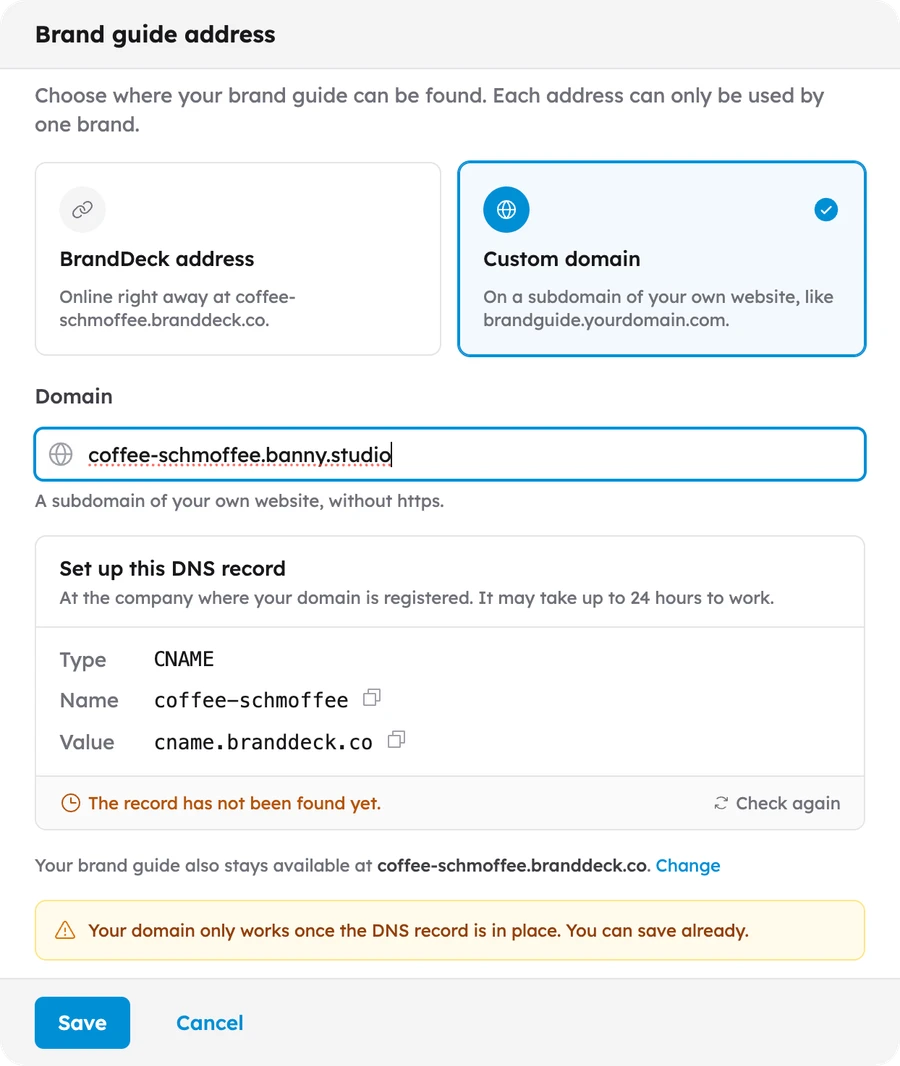
In the brand settings, choose Custom domain and fill in a subdomain of your own website, like brandguide.yourdomain.com.
- 02
Add one DNS record.
At the company where your domain is registered, add the CNAME record BrandDeck shows you. It points to cname.branddeck.co.
- 03
Check and share.
Press Check again. Once the record is found, usually within 24 hours, the brand guide lives on your own address.
Good to know
0,-
Included in every plan, at no extra cost
Per brand
One subdomain per brand
Your name
No BrandDeck branding for your client
Two addresses
Also stays reachable at its BrandDeck address
Deliver every brand under your own name.
Set up your first brand for free.
Connect your domain when it goes live.